How do i create a free automatic call dialer account using Calley?
Calley is the Best Free Automatic Call Dialer that you can use on your Android as well as iOS / Apple Phones. With the Admin panel on Web server and Dialer App on the mobile it offers you best of both the worlds where in you can manage your data on the Web Panel using a Desktop / Laptop and make calls on the go from any location using your mobile phone.
If you are keen in creating a free account for your self using Calley Automatic Call Dialer follow the steps below
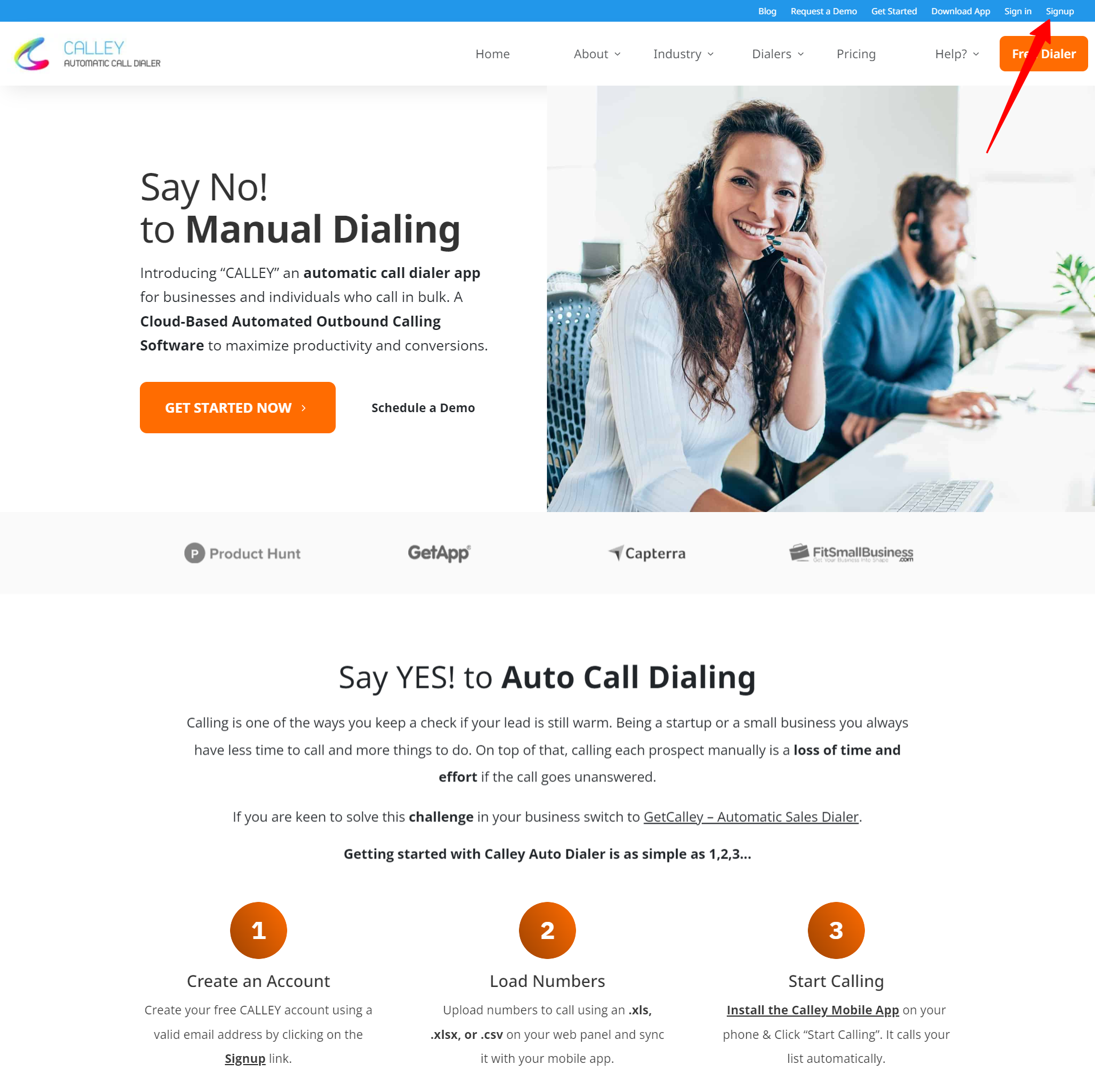
Step 1 - Visit https://www.getcalley.com , Click on the Signup button on the top bar towards the right of the screen
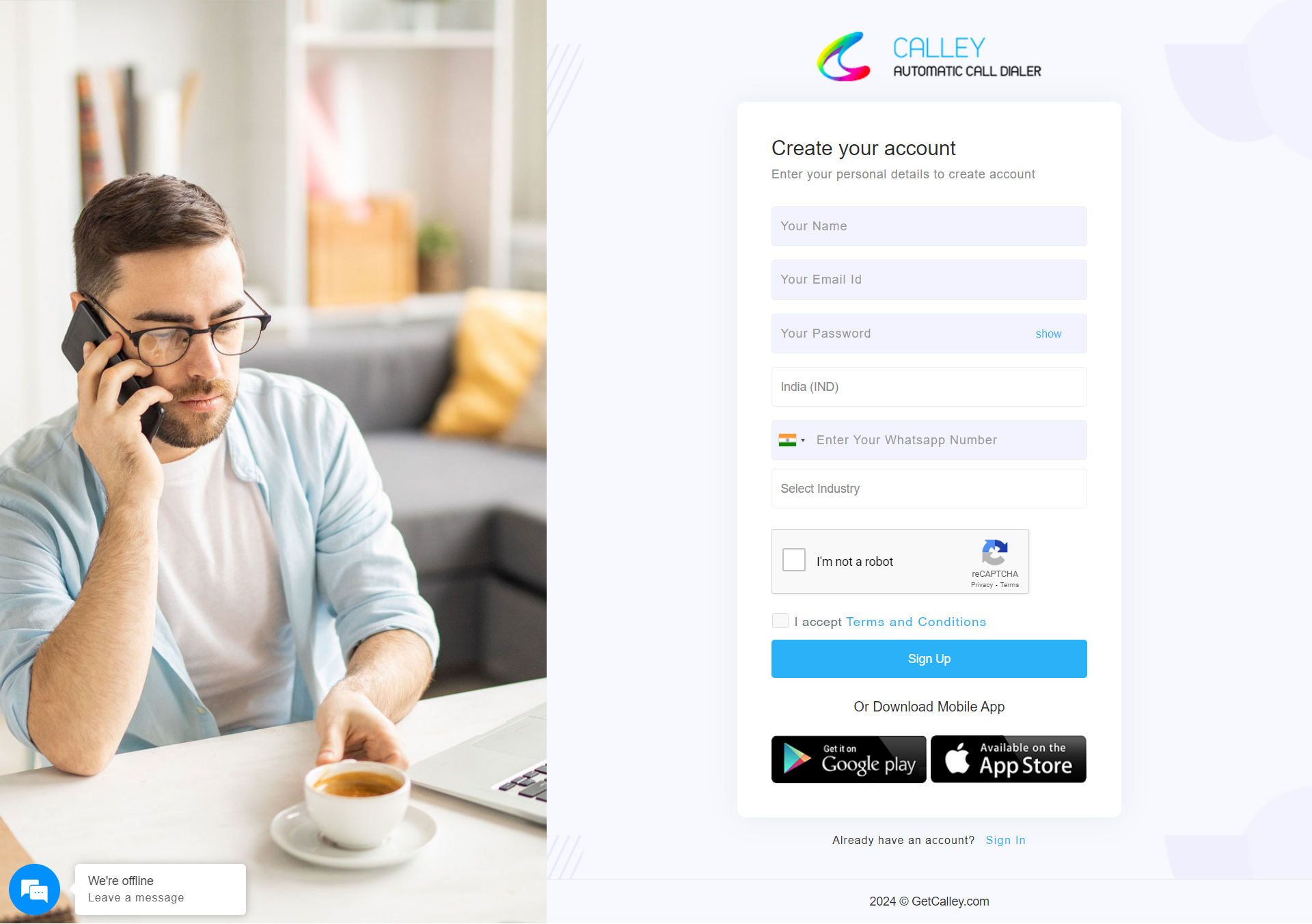
Step 2 - Fill in your registration information.
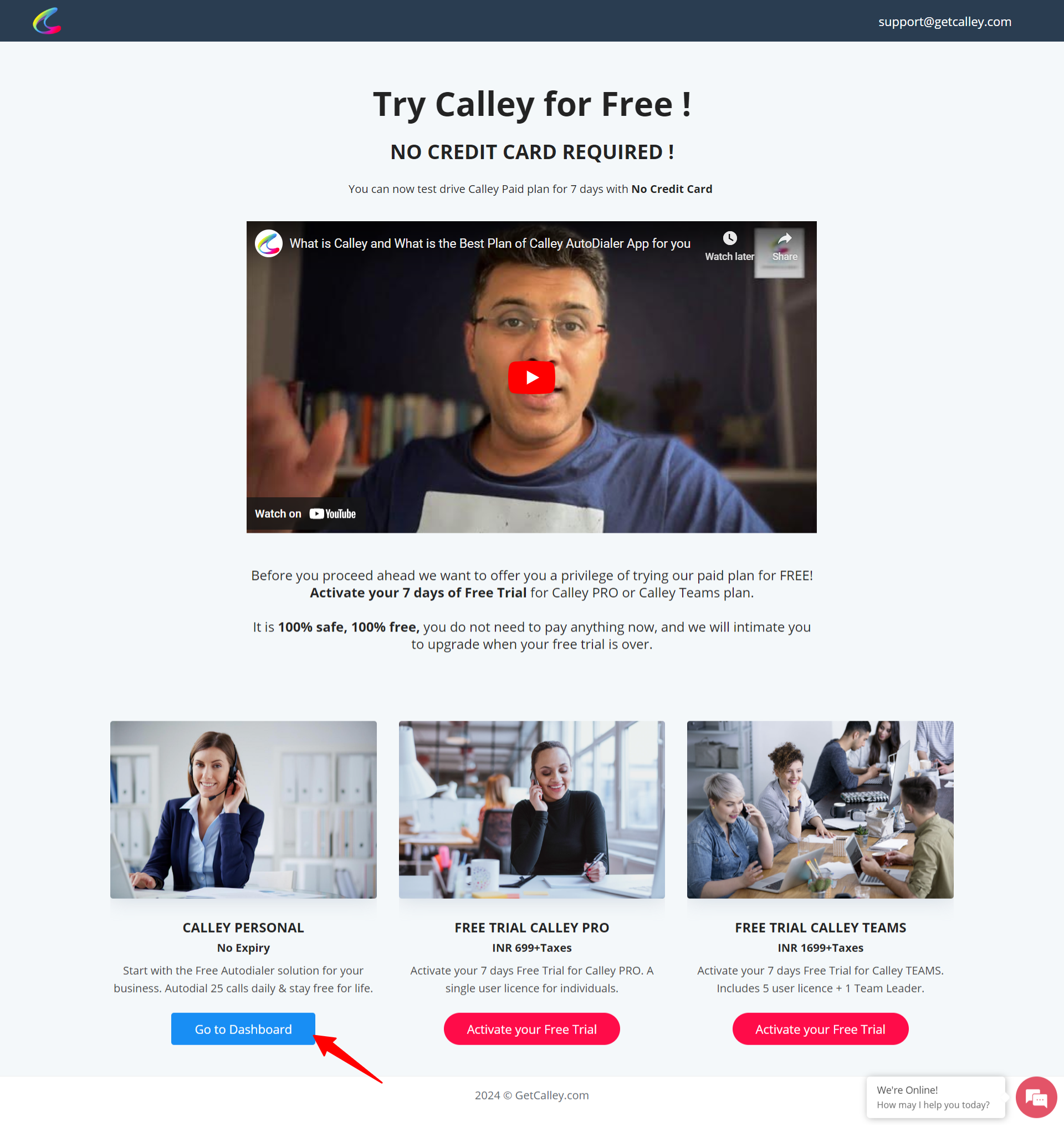
Step 3 - You are now bought to the Plan Selection page, if you want to stay free for life time click on Go to Dashboard.
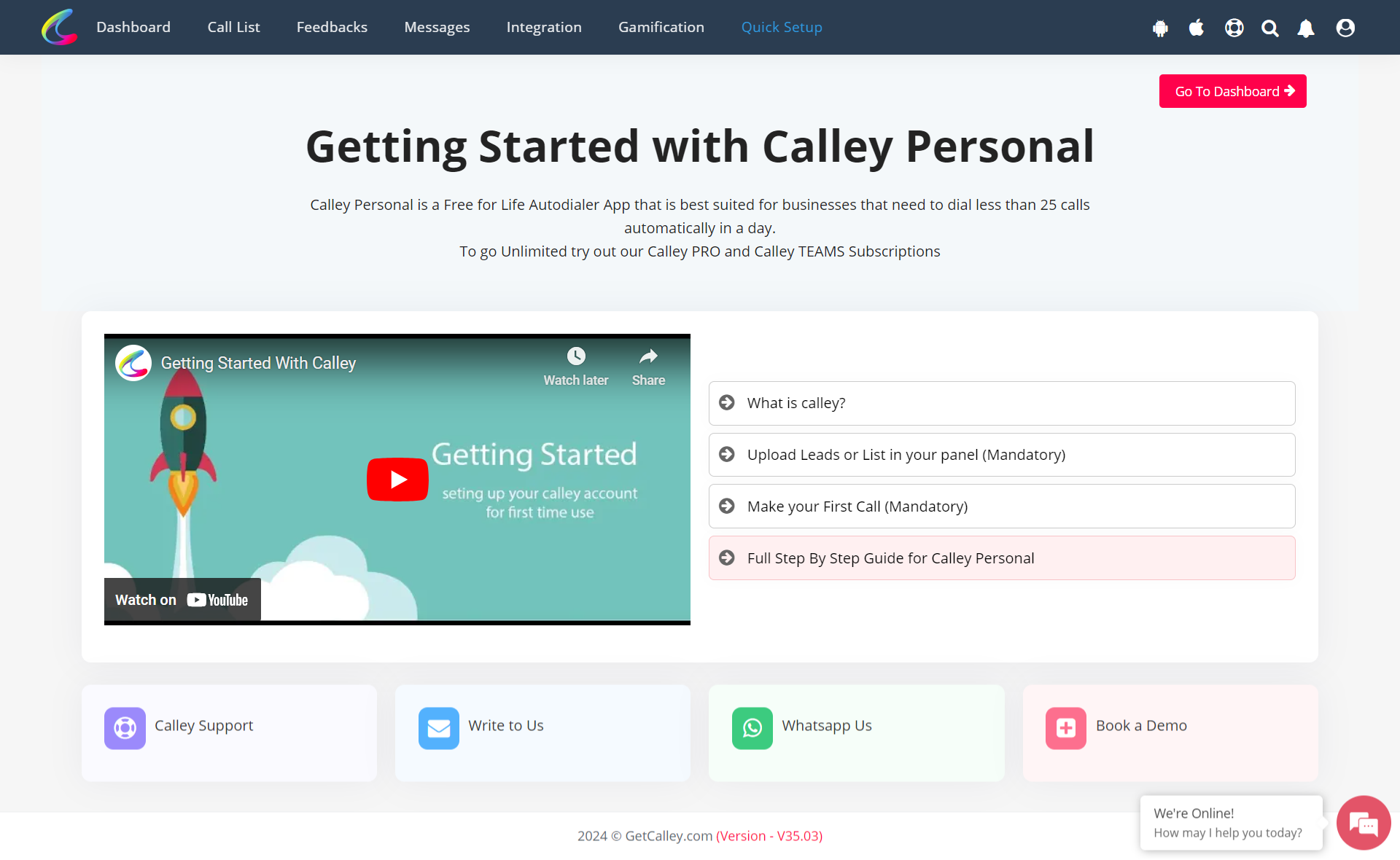
Step 4 - Now you are on Quick Set up page. Click on Go to Dashboard button to go to main dashbaord.
Step 5 -You are on Dashboard now. MOST IMPORTANT!!! Do not forget to download the Calley Mobile App from the Android Play Store or iOS Store.
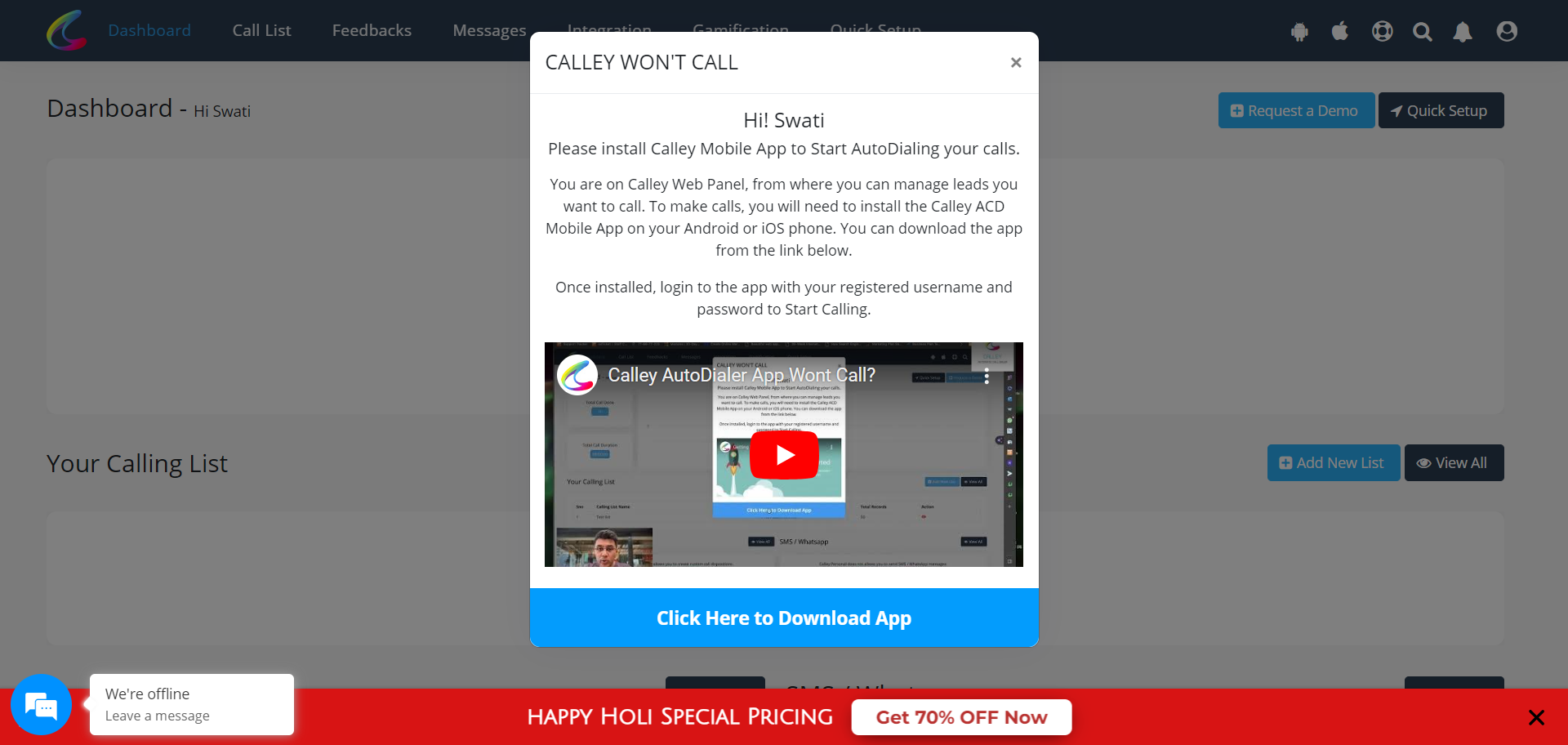
Step 5 -Close the Pop up, upload the list and start autodialing a calls using Calley ACD.
Step 3 - You are now bought to the Plan Selection page, if you want to stay free for life time click on Go to Dashboard.
Step 4 - Now you are on Quick Set up page. Click on Go to Dashboard button to go to main dashbaord.
Step 5 -You are on Dashboard now. MOST IMPORTANT!!! Do not forget to download the Calley Mobile App from the Android Play Store or iOS Store.
Step 5 -Close the Pop up, upload the list and start autodialing a calls using Calley ACD.